Online Twitch Clip Downloader
Full Free
With our full free service, you can quickly and easily download Twitch Clip to watch Twitch videos offline.
Easy to Use
To download a video, just copy the URL from Twitch Clips and enter it into the search box above.
Fast Download
You can effortlessly and rapidly download Twitch videos with our Twitch Clip Downloader thanks to its high-speed download.
No Registration Required
Using the Twitch Clip Downloader does not require the registration of any accounts. Just enter the URL to get download links!
Compatibility
The online service AnyDownloader Twitch Clip Downloader is compatible with all devices, including Android, iOS, Windows, Mac, and Linux.
Highest Quality
Download Twitch Clip in high-quality MP4 format. At lightning-fast speed, download any clip, including 4K and HD ones!
How To Download Twitch Clips Online?
It’s simple and easy to download Twitch clips. Here’s a guide on how to use AnyDownloader.com to download videos.
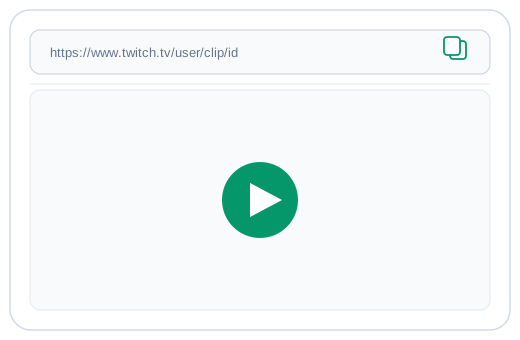
1. Copy the Twitch Clip URL
Go to the Twitch clip you want to download. Click the “Share” button and copy the clip link.
2. Paste the URL Into Our Downloader
Open our Twitch Clips Downloader website. Paste the copied Twitch clip URL into the download box. Then click the Download button.

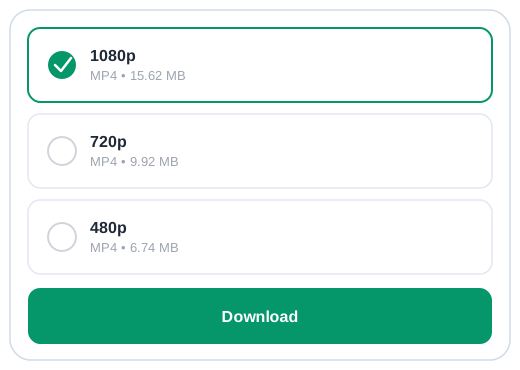
3. Save the Video
Choose your preferred quality and save the Twitch clip directly to your device.
Free Twitch Clip Downloader
Twitch clip downloaders provide a convenient way to save your favorite Twitch clips for later viewing. Whether you are looking for music, gaming videos, or just highlights from your favorite streamer’s broadcast, these tools make it easy to download and store what you need.